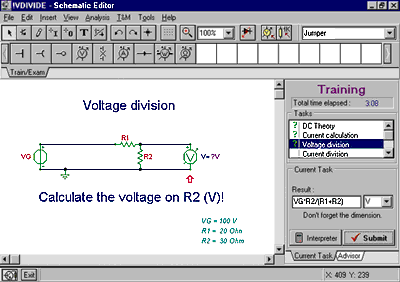
 Solving
a Simple Problem
TINA has two special
operating modes for training and examination. In
these modes, the student works on problems under
the supervision of TINA,
which will solve the problems but wait and check
the student's answer. A student can use symbolic
names of components and answer with either
formulas or numbers. In training mode, TINA warns the student of a
wrong answer; in examination mode, it will simply
evaluate and record the answer. A large
collection of problems already worked out by
teachers is available.
Using the Interpreter
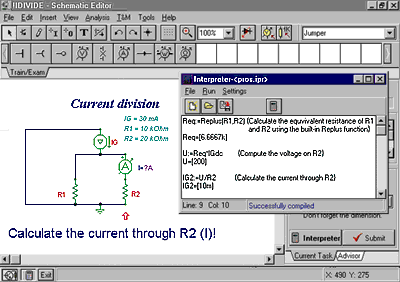
Using the Interpreter in Problem Solving
For more complicated problems,
the interpreter can totally replace pencil, paper
and calculator. Invoking the interpreter, the
student can derive auxiliary quantities and
step-by-step intermediate results. The
interpreter allows the use of symbolic names of
components or their numerical values,evaluates
expressions, solves linear equations, takes
derivatives, integrates, and much more. The
detailed solution can be saved for later use or
printed for evaluation.
|







 TINA
TM
TINA
TM